
The operating layer behind the trip
Travel in.
Clarity out.
Forward the itinerary. Travel Desk brings flights, stays, people, call times, and changes into one current operating view—so the team knows what is next without asking who has the latest version.
London
Boarding begins in 42 minutes
The Twenty TwoGround transfer ready
Production callPrivate call time
Click the phone to explore
Your work is the reason you travel
The trip shouldn’t
become more work.
You have a business to run. A room to lead. A team counting on you. Your itinerary shouldn’t be another thing you have to piece together.
Open the desk
The trip, brought together.
Touch a view. See what your team can keep in one place.
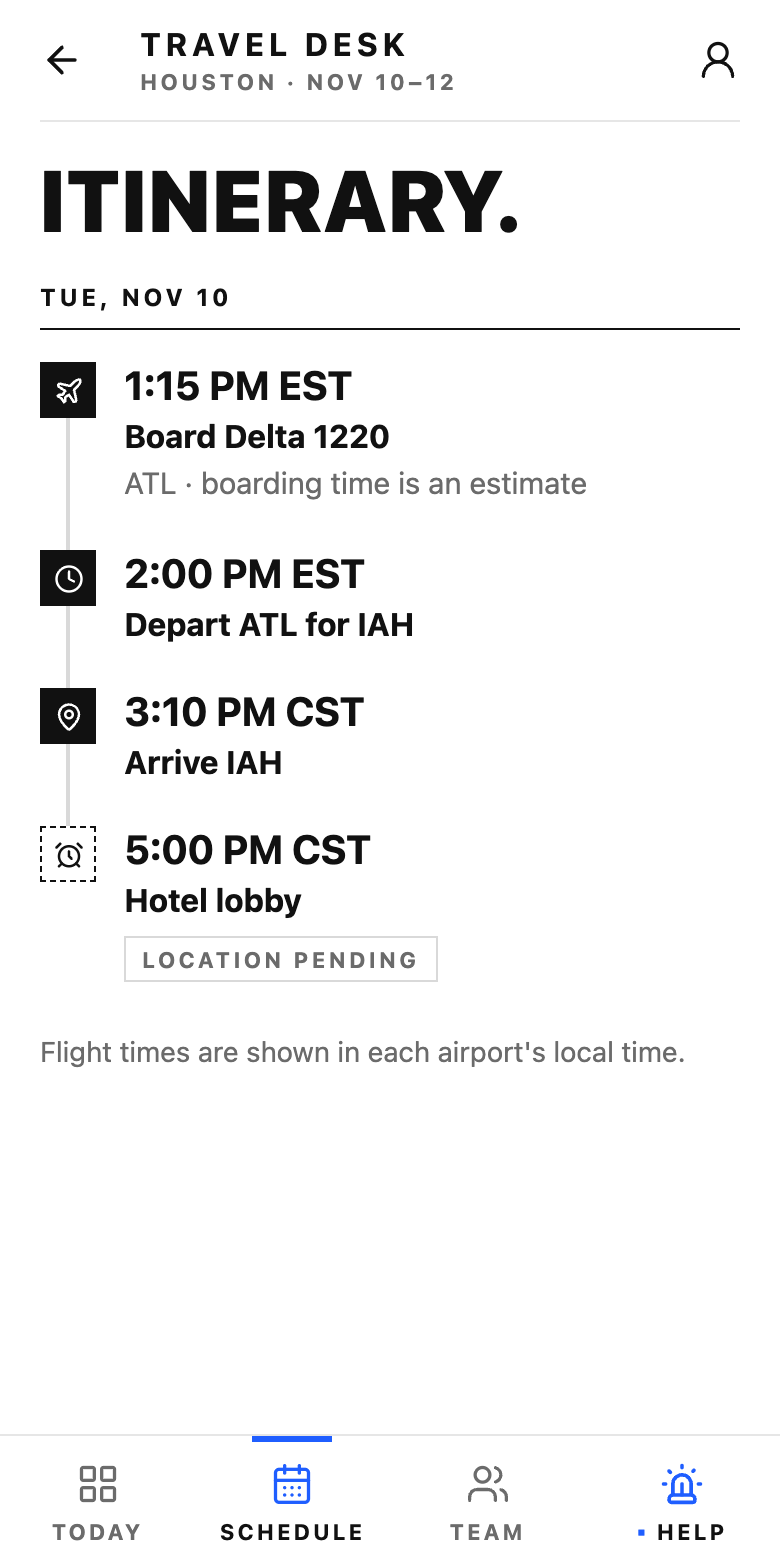
One trip. One place to look.
Flights, stays, call times and the next move belong together. Open the itinerary and see the details your coordinator has put in place.
- Keep time zones clear
- Flight times follow each airport’s local time.
- Keep unknowns visible
- Pending locations stay marked until the team fills them in.
- Keep everyone oriented
- Travelers see the trip details relevant to them.
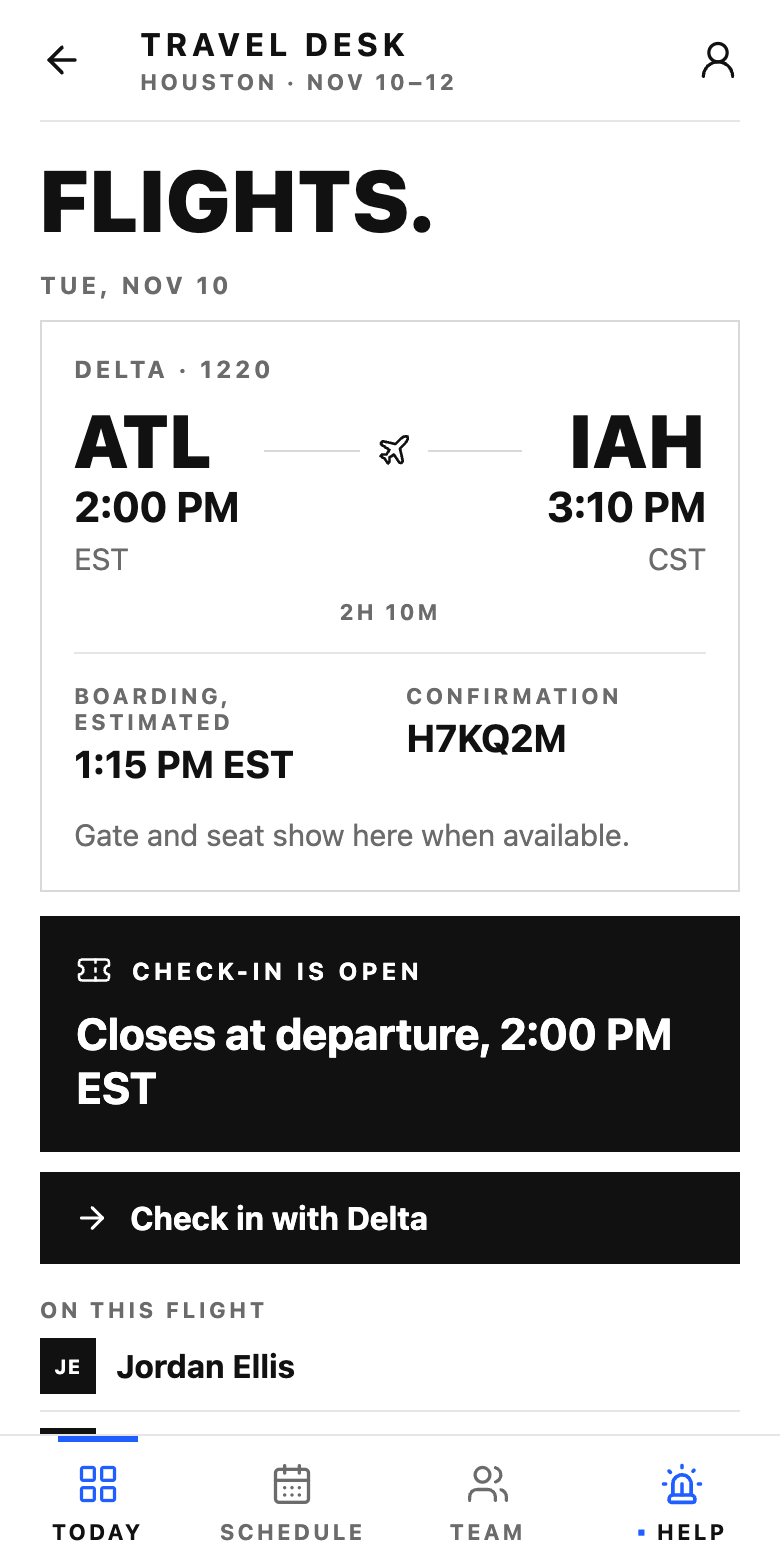
The flight, without the email hunt.
Keep saved flight details, confirmation numbers and airline check-in links beside the trip they belong to.
- Find the confirmation
- Passenger booking details stay with the saved flight.
- Know what’s an estimate
- Boarding is estimated; saved seat details appear when available.
- Airline check-in close by
- Find the airline’s check-in link beside the saved flight details.

Harbor House
Fictional sample property · Nov 10–12

- Check-in
- Tue, Nov 10 3:00 PM CST
- Check-out
- Thu, Nov 12 11:00 AM CST
- Room assignment
- King · Room 412
- Arrival notes
- Meet your coordinator in the lobby.
Know where you’re staying. And how to arrive.
Keep the stay, room assignment and arrival instructions together. Refresh available hotel photos from saved property details, or use photos your team provides.
- Arrive with context
- Dates, property times and coordinator notes are in one view.
- See the place
- Available imagery helps travelers recognize the stay.
- Keep the useful details
- If a photo isn’t available, the stay information still is.
How hotel details fill in
Your coordinator saves and checks the property details, then starts a refresh. Travel Desk looks for matching nearby dining and an available hotel photo. Results depend on a usable match and availability; your team can also supply photos. Room assignments and arrival notes come from your coordinator.
Good options.
Close by.
Houston · Fictional dining results
- Highly suggested
Juniper Table
Sample address · Downtown Houston
- Nearby option
Bayou Kitchen
Sample address · Downtown Houston
Example ratings and straight-line distances. Check restaurant links for the details that matter to your group.
Find a nearby option. Keep the day moving.
Bring nearby dining into the trip with ratings, distance, restaurant links and directions when lookup results are available.
- Start near the stay
- Options are based on the saved property location.
- Compare useful details
- See ratings and distance, plus approved chains where configured.
- Make the final call
- Your team checks hours, availability and the group’s needs.
The next move,
already together.
Route schematic · Illustrative stops, no live location
Start with the saved address.
From a trip stop, open its address in Apple Maps or Google Maps. The sample route here stays on this page.
A 9:00 AM CST call minus an estimated 25-minute drive gives an 8:35 AM leave-by time.
8:25 AM: example internal heads-up for the assigned team driver and coordinators. Airport, hotel and venue tiles use separate approximate distance-based times. Estimates depend on available route details.
Alex Morgan
Black passenger van · Sample plate TD 012
Pickup: Harbor House lobby · 8:35 AM CST
Illustrative call action. In the app, this opens the saved driver number in your phone. No call is placed here.
Where to go. When to leave. Who’s driving.
Bring directions, estimated travel times and saved driver details into the same plan, so the next move doesn’t become another text thread.
- Open directions
- Use the saved stop address in Apple Maps or Google Maps.
- Work back from the call
- Available route estimates help calculate a leave-by time.
- Keep the driver close
- Find vehicle details and one-tap calling. Assigned team drivers can receive departure heads-ups.
Open Travel Desk to view an update
Generic device push · Example only
A new call time.
A clear next step.
Your coordinator published a change to the Houston trip. Acknowledgment requested.
- Previous call
9:30 AM CST- Reviewed call
- 9:00 AM CST
Event venue · Wednesday, Nov 11
Earlier call time for the assigned team.
Example status: acknowledgment requested. Opening a notice does not acknowledge the change.
A change is only useful if people know it.
Send a trip-wide heads-up, keep call-time reminders with the schedule, and publish reviewed changes that affected travelers can acknowledge.
- Keep the day in view
- Trip notices and scheduled call-time reminders stay close to the plan.
- Review what changed
- Published revisions show the relevant details and an acknowledgment request inside the trip.
- Know who needs follow-up
- See deliberate acknowledgments, separate from opening a notice.
Less chasing. More clarity.
Leave the document
chasing behind.
Another Canva itinerary. Another Google Doc. A confirmation buried in email. A new call time somewhere in a text thread. Travel Desk brings the trip into one current itinerary for the people doing the work.
For entrepreneurs and frequent travelers, it’s a clear view of what’s next. For business and ministry leaders with large teams, it’s the same trip record your assistant or coordinator can keep organized while you focus on why you’re there. Directions, leave-by estimates and driver details stay with that plan.
A few scattered details. One place to start.
Forward a confirmation to your organization’s receipt address, or paste its details into Inbox.
Bring the useful details into focus.
Supported booking details fill in automatically. Your coordinator checks the trip, travelers and missing fields.
The pieces become a connected journey.
Reviewed details join the itinerary. The next stop, stay and call time are together when travelers open the app.
Explore the itineraryIllustrative workflow · Supported email text is extracted for review. Missing or conflicting details need a coordinator’s attention.
Clear answers
A few things
worth knowing.
What is Travel Desk?
Travel Desk keeps booked travel and the work around it in one current trip view: flights, stays, dining, call times, ground movement and reviewed changes. Travelers see the details relevant to them while coordinators manage the wider trip.
Does Travel Desk book travel?
No. Travel Desk coordinates travel that has already been booked. It is not a travel agency, booking service, or emergency service.
Who is it built for?
It is built for frequent-traveling entrepreneurs, business and ministry leaders, executive assistants, travel managers, production teams, and operators coordinating large teams.
How does Travel Desk handle traveler information?
Travel Desk uses role-aware access and private defaults. Sensitive operational details stay limited to the traveler and authorized administrators, while peer profile sharing is opt-in.
How can I get early access?
Email Travel Desk to request early access ahead of the planned January 1, 2027 launch. You can send a request today without creating an account or paying.
Planned launch · January 1, 2027
Request early access.
Send us your name and, if you’d like, your organization. We’ll use your email to follow up about access.
Email your request lonnell@ldw.build